Your assets, finally in one place.

Editor Pro 2 gives you a dedicated workspace to browse, search, organize, create, and inspect the ScriptableObjects in your project.

Editor-only package Unity 2022.3+ No dependencies
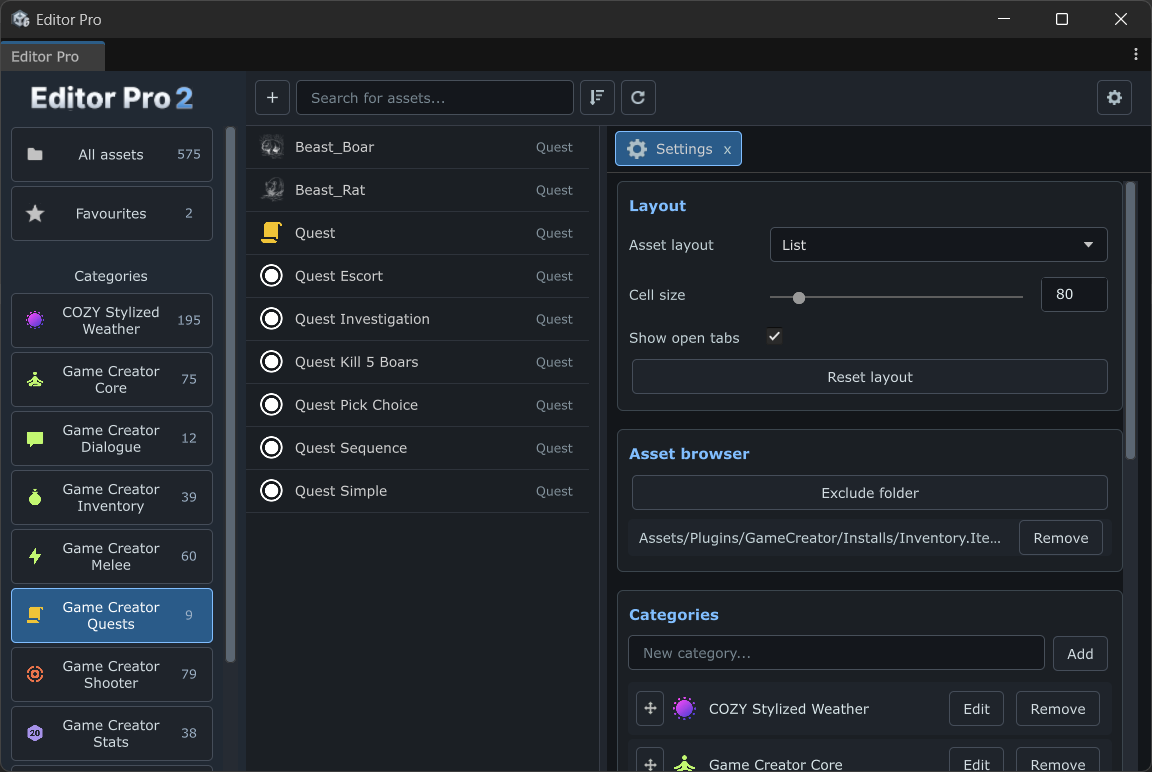
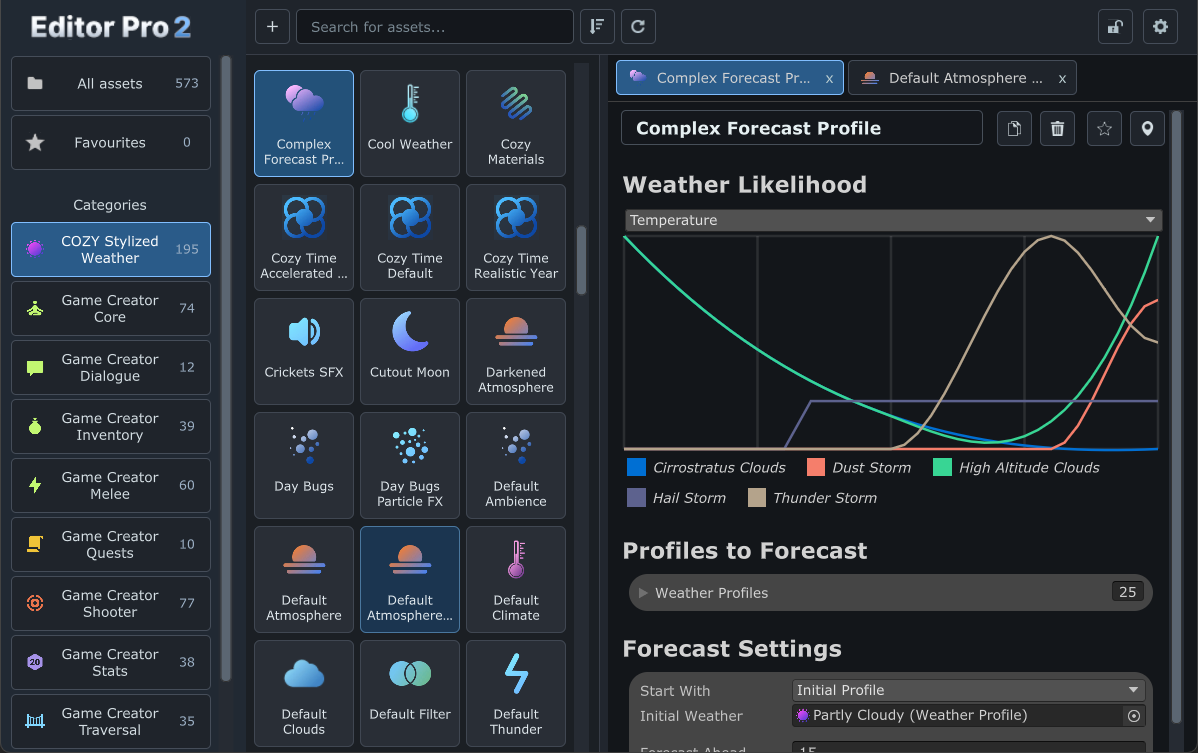
Editor Pro 2 Unity editor window
Limited-time launch sale$19.99$39.9950% off
Already own Editor Pro 1?Upgrade for $14.99
Claim the launch price

The daily friction

Stop opening folders.
Start making progress.

Working with lots of ScriptableObjects quickly turns the Project window into a scavenger hunt. Editor Pro 2 replaces that loop with a focused, responsive workspace that keeps your assets, categories, and inspector together.

A faster asset workflow

Everything you need.
Nothing in the way.

From the first search to the final inspector change, Editor Pro keeps the important parts of Unity asset work within reach.

01 / Find

See the whole project at a glance.

Search by asset name or type, filter several types at once, and switch between dense grid and list views. Editor Pro discovers ScriptableObject types across your project and installed packages.

Search for assets...
Complex ForecastCool WeatherCozy MaterialsTime ProfileCrickets SFXCutout Moon
02 / Organize

Make categories match your brain.

Drag assets into custom categories, add icons, and keep your critical references in Favourites.

Categories
Favourites 2 Items 24 Characters 18 Quests 9

03 / Focus

Keep related assets open.

Open multiple assets in tabs, lock the inspector, and jump straight to referenced ScriptableObjects without losing your place.

IronSwordPlayerStatsFirstQuest

04 / Create

Find the type. Ship the asset.

Use the searchable creation picker and Unity's native Assets/Create workflow wherever available.

Create asset
Quest9 assetsWeather Profile6 assetsGame SettingsLast created

Your workspace, your way

One browser.
Two useful views.

Prefer old-school lists or a more modern grid? Editor Pro 2 gives you both, so you can choose the view that fits the way you work.

Editor Pro 2 grid browserEditor Pro 2 list browser
EP2API

Built to extend

Make Editor Pro
work better with your assets.

The Integration API lets packages and custom tools add icons, categories, search terms, badges, creation workflows, context menus, inspector tabs, validation, and more.

  • Custom icons and asset data
  • Search providers and badges
  • Custom creation workflows
  • Inspector extensions
Read the Integration API docs

Version 2.0

Rebuilt around
your workflow.

A package-independent foundation, a calmer interface, and the small details that make an asset-heavy project feel manageable again.

01Automatic type discovery

Editor Pro finds the concrete ScriptableObject types already in your project.

02Category-based organization

Make a project-specific structure without moving files on disk.

03Multiple asset tabs

Compare and edit related assets without reopening inspectors.

04Project-local settings

Keep layout, categories, and preferences with the project.

05Searchable asset creation

Find the type you want without digging through Unity's Create menu.

06Responsive UI Toolkit interface

Give the browser and inspector the space they need.

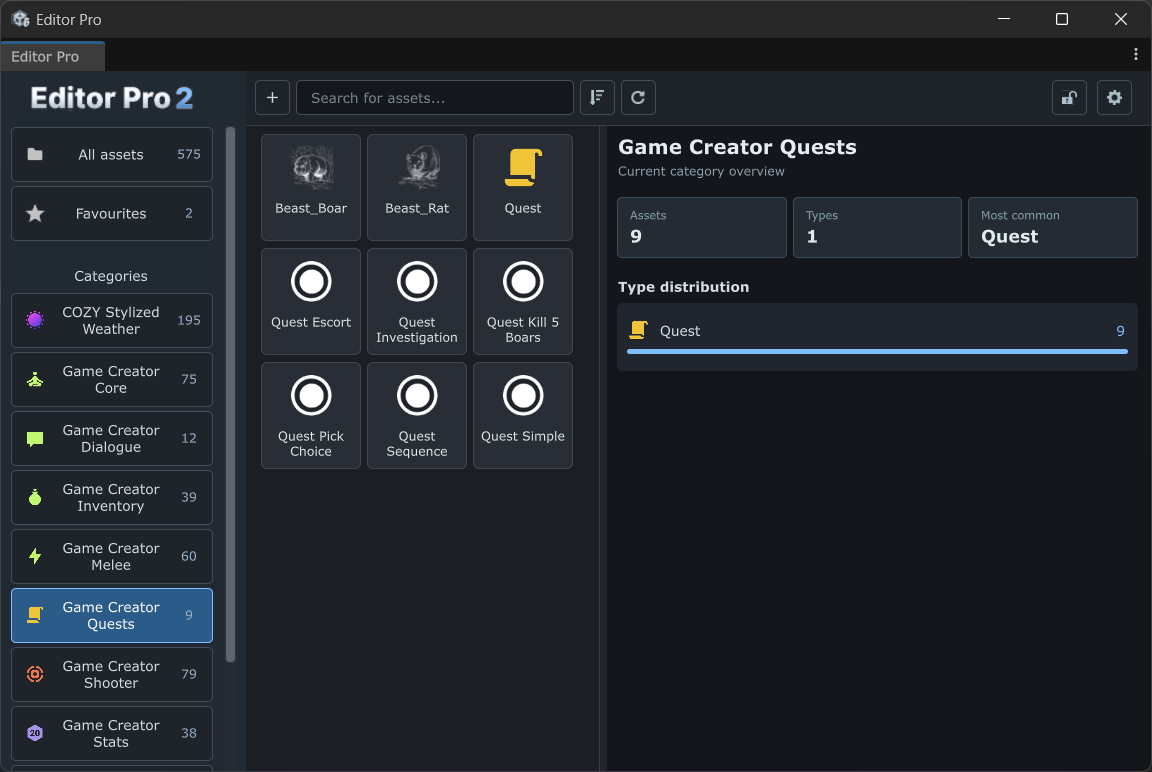
07Category statistics

See asset counts and type distributions at a glance.

08No dependencies

Works with your own ScriptableObjects and installed packages.

Give your assets
a better home.

Editor Pro 2 is ready for the project that has outgrown the Project window.

Launch sale pricing is limited time. Existing Editor Pro 1 users can upgrade for $14.99.