Quick setup
LogicBlock 2 needs Visual Script. Install it, then create a Block and run it from an Event.
- Install and set up Visual Script 1.0.4 or newer.
- Open Window > Package Manager and install LogicBlock 2.
- Create a Block from Create > Visual Script > LogicBlock.
- Add LogicBlock > Run Block to an Event and pick your Block.
Thank you for purchasing LogicBlock 2.
This documentation covers the setup, workflows, integrations, and extension points for LogicBlock 2.
LogicBlock 2
Build your logic once. Run it everywhere.
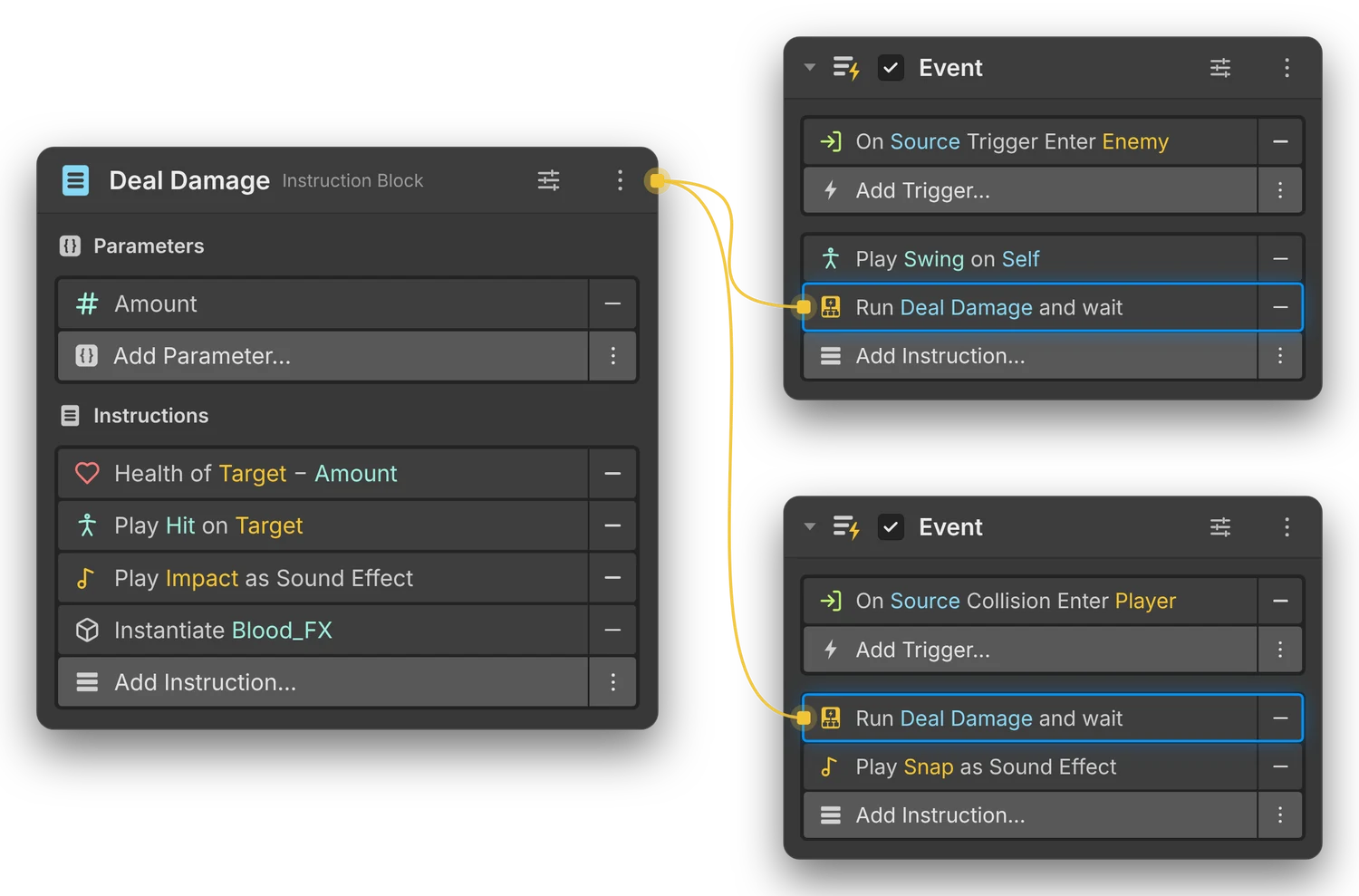
LogicBlock 2 turns Visual Script instruction and condition lists into reusable assets. Instead of copying the same instructions into every Event, you put them in a Block and run it from anywhere, passing in values the way you would call a function. Change the Block once and every place that uses it changes with it.
LogicBlock 2 is built for Visual Script and uses its lists, windows, notes and icons, so it looks and works like the rest of the editor.