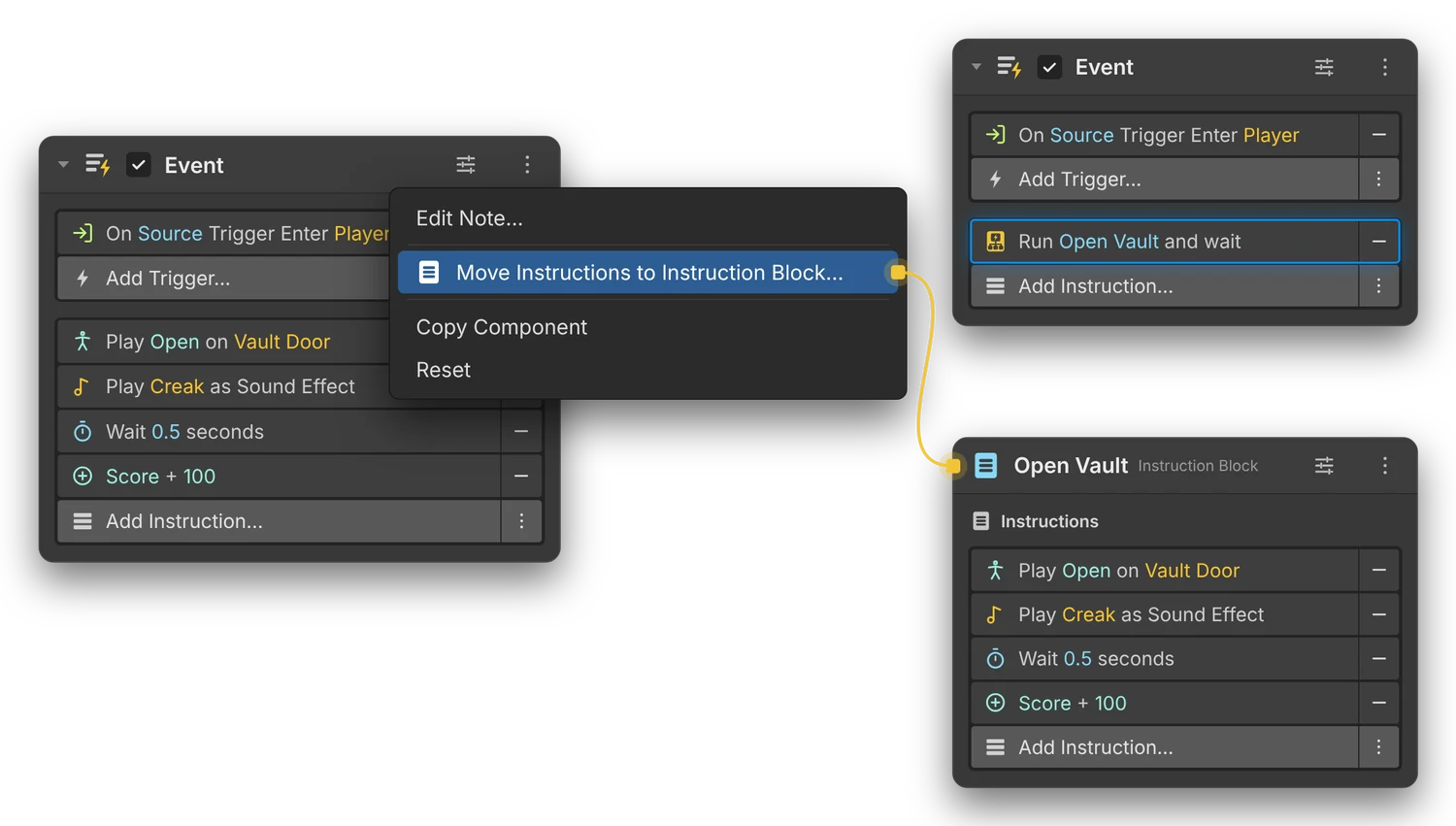
Move Instructions to Block
Turns an Event's instructions into a Block in one step.
- Right-click the Event component header (or open its ⋮ menu).
- Choose Move Instructions to Block....
- In the window, choose where they go: New Instruction Block (asks where to save the new asset) or New list in a LogicBlock (pick a LogicBlock and name the list).
- Choose which values become parameters (see below), then click Move.
The Event's instructions are replaced by a single Run Block that runs the new Block or list, with the right parameter values already filled in. The change can be undone with Edit > Undo.
Choosing parameters
The window lists every value the instructions use, one row each. Each row has a tick box, the type icon, the parameter name (which you can edit), the current value, and "×2", "×3" and so on when the value is used in several places. Hover a row to see which instructions use it.
- Scene objects are always parameters. A Block is an asset and can't store references to objects in a scene, so these rows are ticked and locked. They're named after the object, for example "Lamp". The new Run Block passes the original object in, marked as changed.
- Other values are optional. Numbers, colours, text, assets and so on are listed unticked. Tick a row to make it a parameter. Its current value becomes the parameter's default, so nothing changes until you give a call a different value.
- Repeated values become one parameter. If the same light or the same
0.3appears in several instructions, it becomes one parameter that every one of them reads. - Values built from other values. In something like "Intensity of Lamp", the inner value (Lamp) is offered, and the rest stays as it is.
- Skipped values. Source, Target and similar values have nothing to store and are left alone. They keep working, because Run Block passes Source and Target in.
- Reusing parameters. When moving into a LogicBlock that already has a parameter with the same name and type, that parameter is reused. Several Events can then share one "Lamp" parameter.
- Warnings. A scene object that can't become a parameter (for example a scene variable that a Set instruction writes to) is listed as a warning. It will be empty in the Block, so check that instruction afterwards.