Parameter values in a call
Run Block and Check Block show one field per parameter of the chosen Block, in the Parameters section. These fields work like prefab overrides.
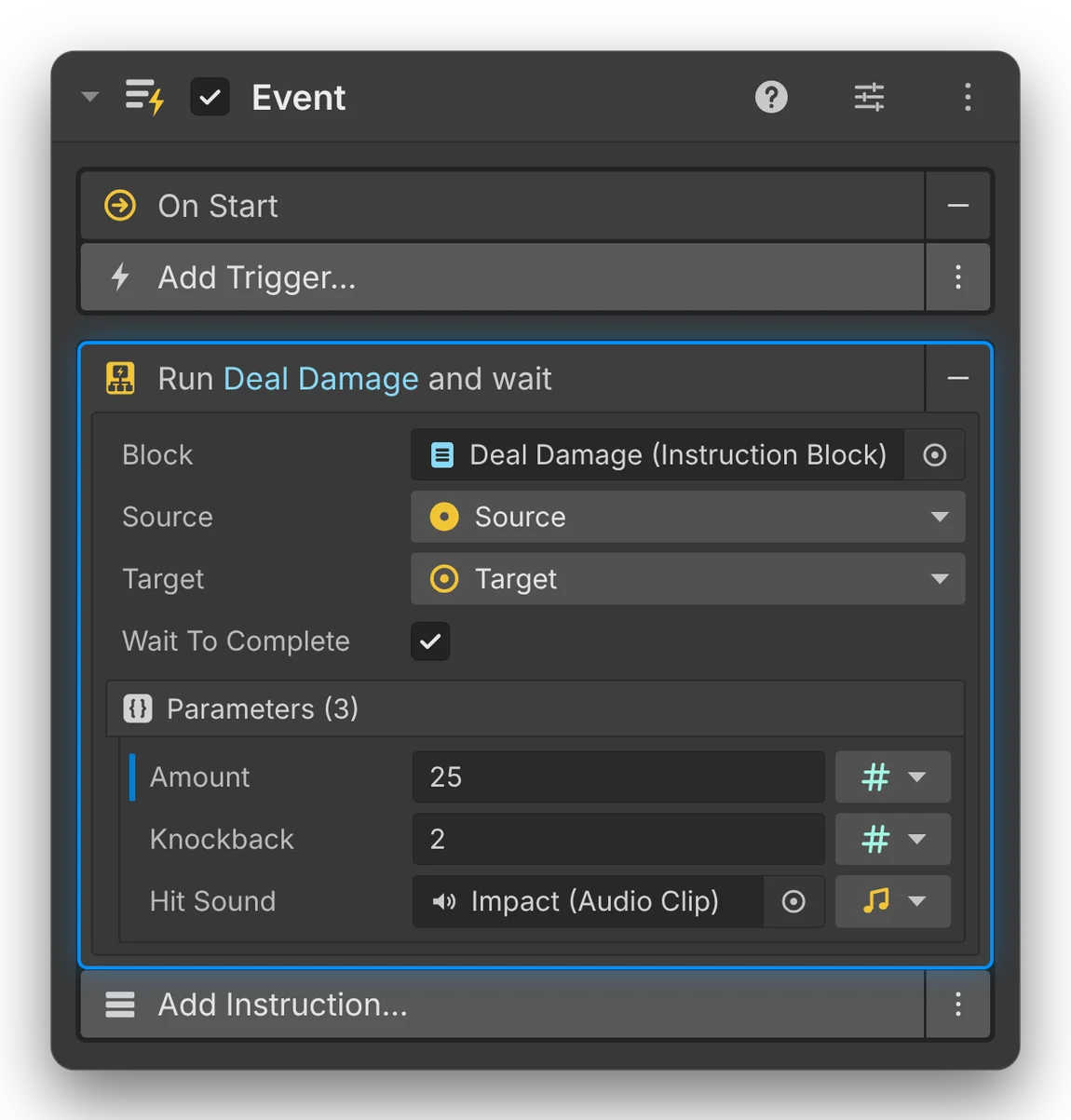
- Following the Block. A field that you haven't changed shows the Block's default and keeps following it. Change the default in the Block and every call that hasn't changed it updates.
- Changed in the call. Edit a field and it's marked as changed, with a blue bar and a bold name. It keeps its own value from then on.
- Revert. Right-click a changed field and choose Revert to Block Default to follow the Block again. Setting a field back to the same value as the default also unmarks it.
- Staying in sync. When you add, rename, reorder, retype or remove parameters in the Block, every call's fields update. Values are kept for parameters that still exist with the same type.
- Any value works. A field can hold any Visual Script value: a constant, a variable, a scene object, a calculation, and so on.
- Evaluated by the caller. A changed value is worked out in the caller's context, just before the Block runs. For example, "Source" in a parameter value means the caller's Source. A Block default is worked out inside the call.
Scene objects in parameter values always count as changed, because a Block's default can't point at a scene object.