The three Block assets
Create them from Create > Visual Script > LogicBlock.
| Asset | Holds | Use it with |
|---|---|---|
| Instruction Block | One instruction list | Run Block, Stop Block, Is Block Running |
| Condition Block | One condition list | Check Block (condition or Bool value) |
| LogicBlock | Any number of named Instructions and Conditions lists | All of the above, per list |
Use an Instruction or Condition Block for a single reusable action or check, like "Deal Damage" or "Can Attack?". Use a LogicBlock to keep the logic of one system in one asset, for example every list an enemy uses (Patrol, Chase, Attack, Flee).
The inspector
Every Block's inspector has the same layout:
- Note: a description of the Block, shown at the top. Edit it with Edit Note... in the inspector's context menu (the ⋮ menu in the header, or right-click the header).
- Parameters: the Block's inputs. See Parameters.
- Instructions, Conditions or Lists: the logic itself.
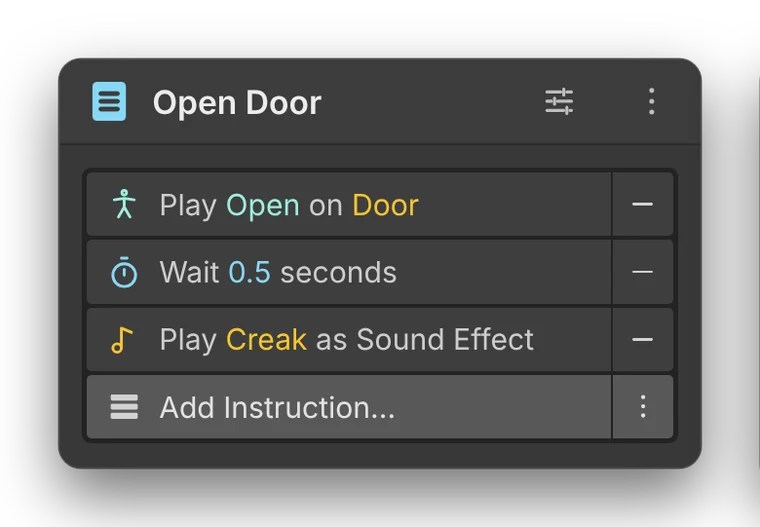
Instruction Block
Holds one Visual Script instruction list. Add instructions with Add Instruction..., exactly like in an Event.
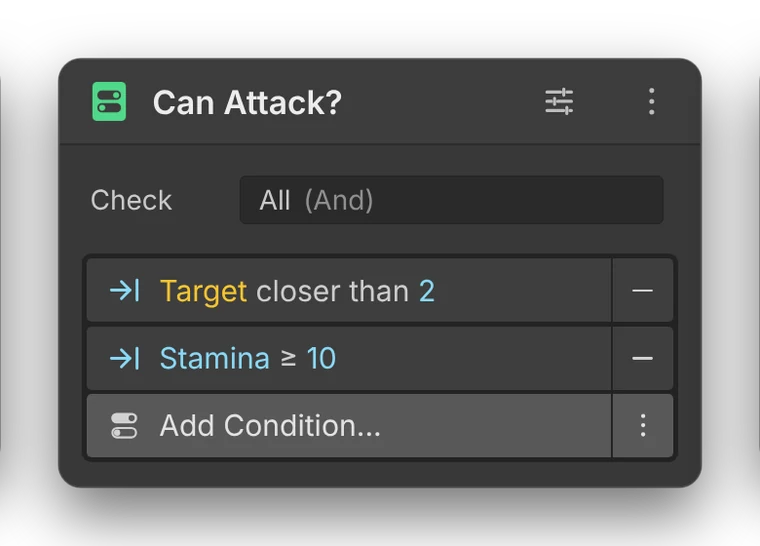
Condition Block
Holds one Visual Script condition list. Check decides how the conditions combine:
- All (And): every condition must be true.
- Any (Or): one true condition is enough.
LogicBlock
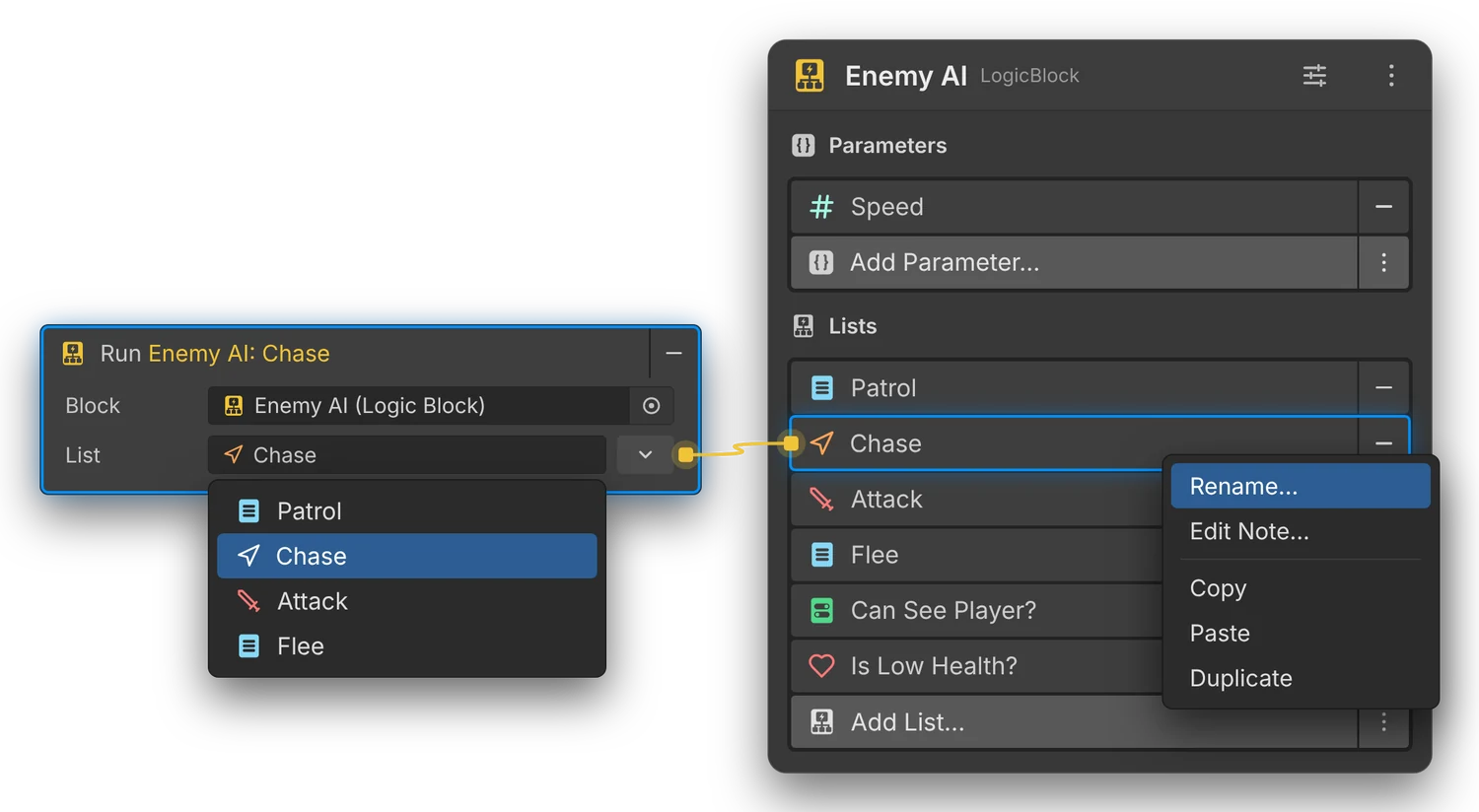
Holds any number of lists. Each list is either Instructions or Conditions.
- Add List... opens the type window. Choose Instructions or Conditions.
- Click a list to open or close it. A list's contents are only built when it's opened, so large LogicBlocks open quickly.
- Right-click a list for:
- Rename...
- Edit Note... opens the same note window as an Event. The icon and colour you pick in the note become the list's icon, here and in Run Block's list picker. Without a note, Instructions lists show the blue Instructions icon and Conditions lists show the green one.
- Copy, Paste and Duplicate.
- Conditions lists have their own Check setting (All / Any).
- List names are unique within a LogicBlock. A repeated name becomes "Name (1)", "Name (2)" and so on.
All lists in a LogicBlock share the LogicBlock's parameters.