Running and checking Blocks
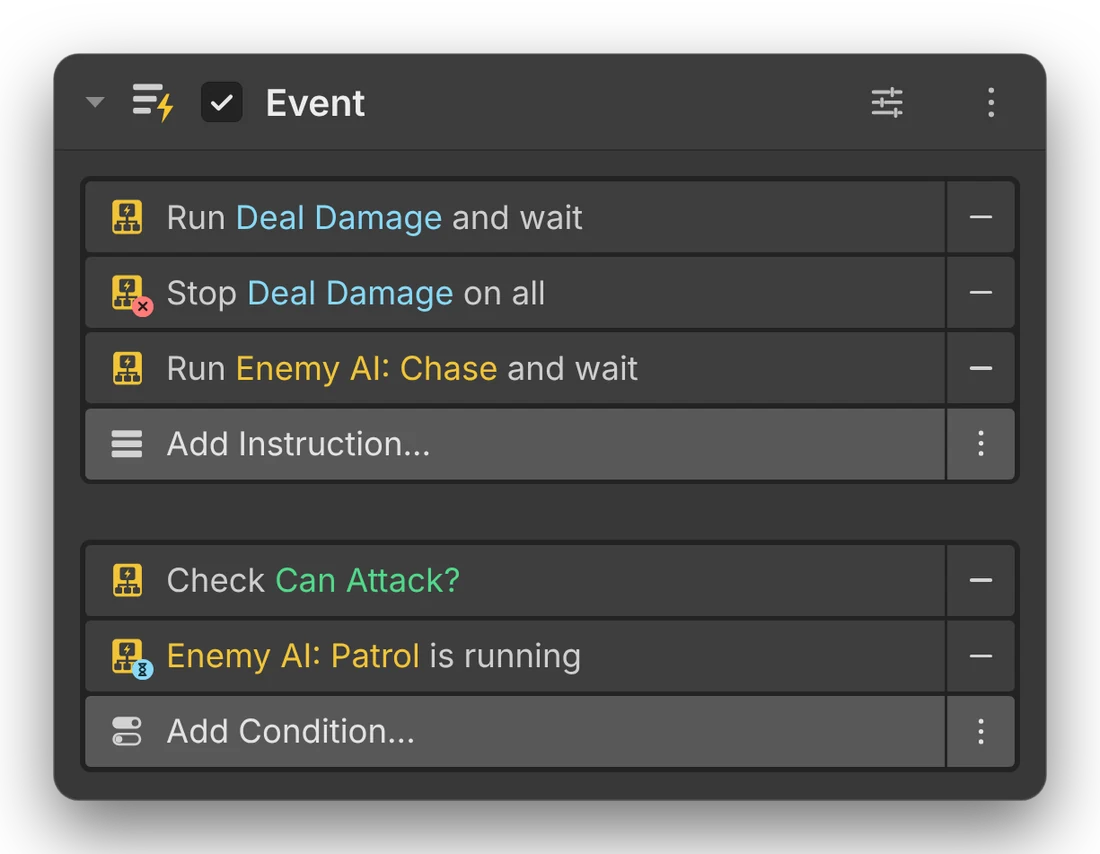
All of these are under LogicBlock in the instruction, condition and value windows. In their titles, the Block and list name uses the colour of its asset:
- Instruction Block: blue, for example
Run Deal Damage and wait. - Condition Block: green, for example
Check Can Attack?. - LogicBlock: yellow, for example
Run Enemy AI: Chase and wait.
These are Visual Script's own Blue, Green and Yellow, the same colours as the asset icons.
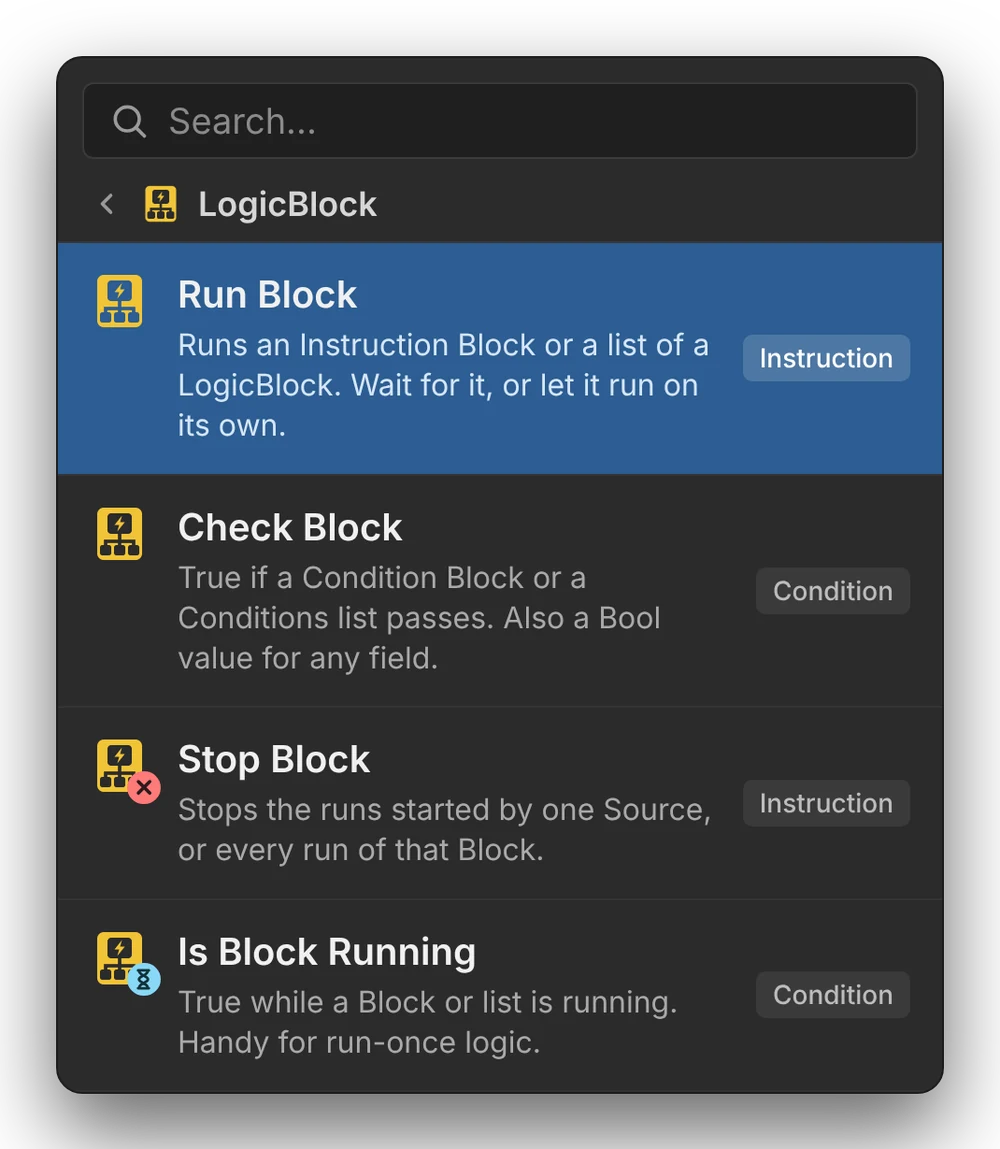
Run Block (instruction)
Runs an Instruction Block, or an Instructions list of a LogicBlock.
| Field | Meaning |
|---|---|
| Block | The Instruction Block or LogicBlock to run. |
| List | (LogicBlock only) Which Instructions list to run. The picker shows each list's icon. |
| Source | The game object used as Source inside the Block. Default: this Event's Source. |
| Target | The game object used as Target inside the Block. Default: this Event's Target. |
| Wait To Complete | Wait for the Block to finish before running the next instruction. When off, the Block runs on its own and the Event continues straight away. |
| Parameters | A foldable section at the bottom, with one field per Block parameter. Hidden when the Block has none. See Parameter values in a call. |
Check Block (condition)
Checks a Condition Block, or a Conditions list of a LogicBlock. It has the same Block, List, Source, Target and Parameters fields as Run Block. It's true when the Block's conditions pass, using the Block's Check setting (All or Any).
Check Block (Bool value)
The same check, as a value. In any Bool field, choose LogicBlock > Check Block. A Block's result can then drive anything that takes a Bool, not only conditions.
Stop Block (instruction)
Stops running calls of an Instruction Block or of a LogicBlock list.
| Field | Meaning |
|---|---|
| Block | The Block to stop. For a LogicBlock, pick one list or All Lists. |
| Stop | Calls With Source stops only the calls started with the given Source. All Calls stops every running call. |
| Source | The Source the calls were started with. Used with Calls With Source. |
Is Block Running (condition)
True while an Instruction Block or LogicBlock list has a running call.
| Field | Meaning |
|---|---|
| Block | The Block to look at. For a LogicBlock, pick one list or All Lists. |
| Calls | With Source: only calls started with the given Source. Any: calls started by anyone. |
| Source | The Source to look for. Used with With Source. |
Typical uses:
- Run once: put Is Block Running (inverted) before a Run Block, so the Block isn't started again while it's busy.
- Toggle: if the Block is running, stop it; otherwise run it. This is how the Pulse cube works in the examples.